Karpathy's LLM Knowledge Base: Build Your AI Second Brain with Obsidian
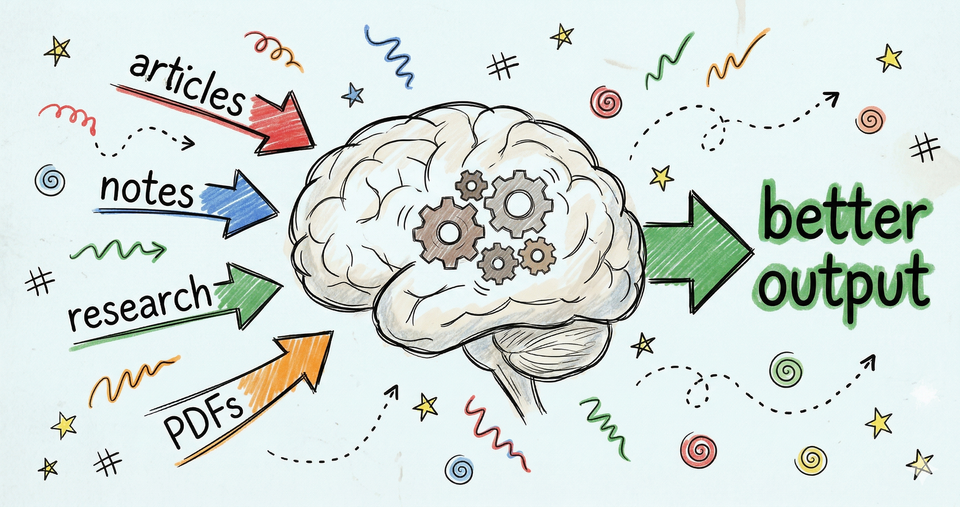
If you want smarter AI output. If you want to stop re-explaining yourself every session. If you want a system that actually gets better the more you use it and potentially reduces token your spend (no more hitting those dam ai limits).
Then, build Karpathy's LLM knowledge base.
It's free, it works for anyone, and it makes your AI dramatically better at whatever you do. Coding, writing, research, running a business.
Doesn't matter.
What Is the Karpathy LLM Knowledge Base
Karpathy's LLM knowledge base is a system where AI reads your notes, articles, and research, then organizes everything into a personal wiki that grows over time. Instead of your AI starting from scratch every session, it builds and improves overtime, based on everything you've already given it.
It runs on three pieces:
- Your stuff. Articles, PDFs, notes, research. You save them in one folder. The AI reads them but never changes them. They're your source of truth.
- The wiki. The AI takes your stuff and turns it into organized pages. Summaries, key ideas, connections between topics. All linked together. All maintained by the AI automatically.
- The instruction file. One simple text file (called CLAUDE.md) that tells the AI how to organize everything. If you've read my article on [How to Set Up Claude Code for Beginners (According to Anthropic)], you already know what this is. Same idea, bigger job.
Three pieces. One system. And once it's running, every piece of knowledge you feed it makes your AI smarter.
Most people hear "LLM knowledge base" and think this is for developers. It's not. It's for anyone who uses AI and is tired of starting over every single session.
This Isn't Just for Coders
You've felt this.
You open a new AI session and the first ten minutes are wasted re-explaining who you are, what you're working on, and what you've already figured out. Yesterday's breakthrough? Gone. Last week's research? Gone. That perfect prompt you finally nailed?
Can't even remember it.
Attorneys deal with this. Doctors deal with this. Content creators, freelancers, someone running a cooking blog who spent hours figuring out how to structure recipe posts. Every single one of these people is doing the same work twice. Three times. Ten times.
Karpathy's system fixes this. You do the work once. Save it. Your AI knows it forever.
And it doesn't just remember. It actually improves over time. Here's how.
Karpathy LLM Wiki
Most AI tools work like this. You upload some documents, ask a question, and the AI digs through them to find an answer. Every time. From scratch. It re-reads the same stuff, re-discovers the same connections, re-builds the same insights. Nothing sticks.
(This approach has a technical name, RAG. I didn't know that term until recently. You don't need to either.)
Karpathy's system flips this entirely. Instead of digging through raw documents every time, the AI organizes everything into a living wiki that gets richer with every source you add.
Three things power the whole system:
- Add. You drop something into your folder. An article, a PDF, your notes. The AI reads it, writes a summary, creates pages for the key ideas, links everything together, and logs what it did. One source might create 5-10 new pages in your wiki. All connected automatically. Also note. Adding doesn't mean you need to do it manually. Tell Claude, GPT or whatever AI you use to do the research and build out your wiki.
- Ask. You ask a question. The AI doesn't dig through your raw files. It goes straight to the wiki it already built, finds the right pages, and gives you an answer based on your own organized knowledge.
- Clean up. The AI checks its own work. Finds pages that contradict each other. Flags outdated information. Spots important ideas that deserve their own page. Suggests gaps to fill. Think of it as a self-improving system that gets better with your guidance.
Two simple files hold it all together. One lists every page in the wiki, like a table of contents. The other tracks everything the AI has done, like a log book.
Source: https://gist.github.com/karpathy/442a6bf555914893e9891c11519de94f
A knowledge base that doesn't just store your information. It organizes it, connects it, and maintains itself. And it runs inside a free app you might already know.
AI Second Brain Obsidian
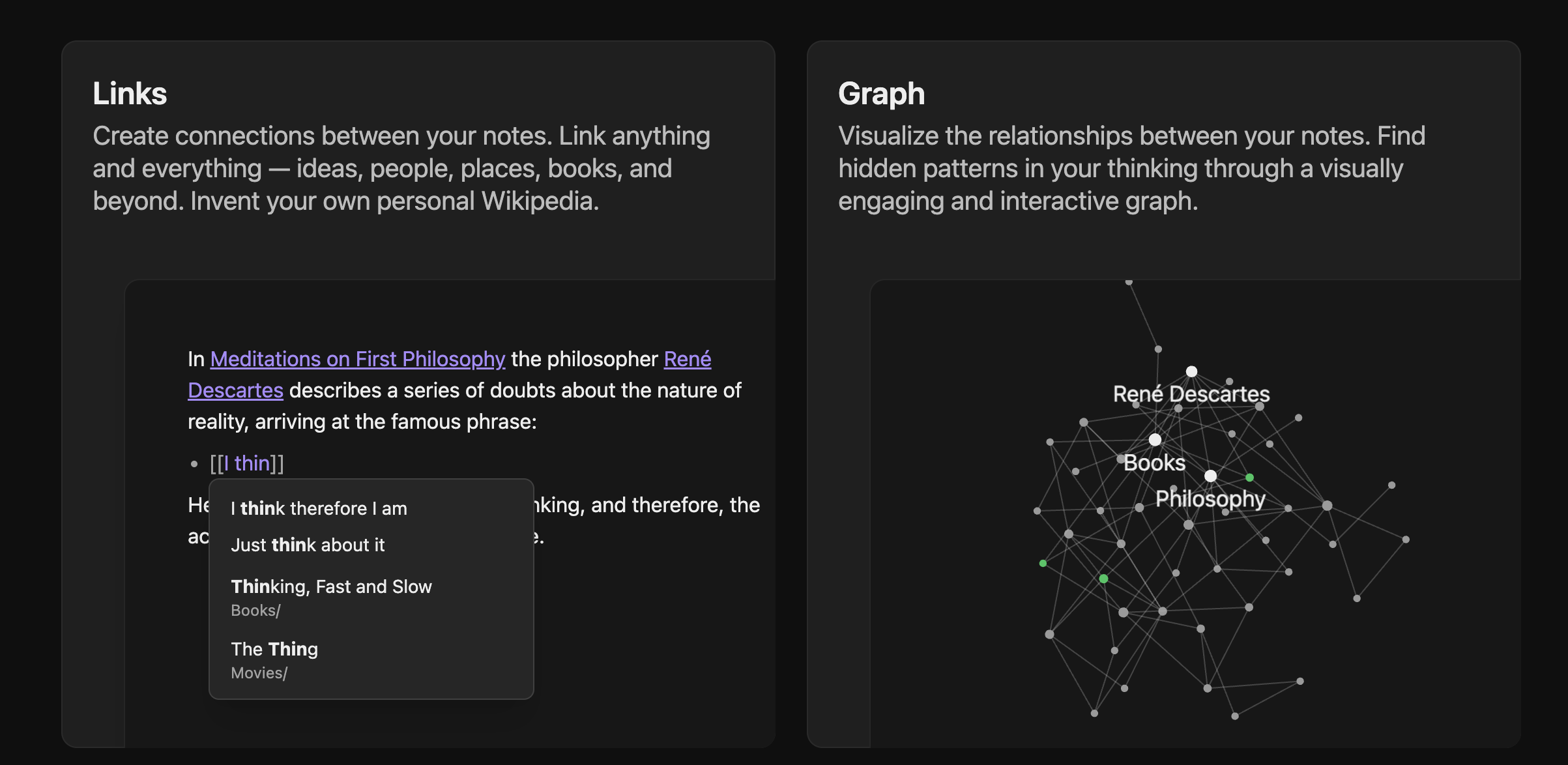
That app that makes this not only possible but free, is Obsidian. It stores everything on your computer. Works with plain text files you'll be able to open in 20 years. And it has a built-in visual map that shows how all your ideas connect.
Karpathy uses it as the home base for his entire system, and it makes sense. Obsidian turns a folder of simple text files into something you can browse, search, and explore visually. You see your wiki as a map of connected ideas. Click one, see everything linked to it. Watch your knowledge grow as your AI adds more pages.
No subscription. No cloud. No lock-in. Your files sit on your hard drive and any AI can read them. Claude, GPT, Gemini, whatever. You're never trapped.
Obsidian is just the viewer though. It shows you the wiki. It doesn't build it. For that, you need to connect an AI.
Easier than you think.
What You Need Before You Start
Here's exactly what we're going to do, step by step:
- Step 1: Get what you need (everything is free)
- Step 2: Download and set up Obsidian
- Step 3: Connect your AI
- Step 4: Create your instruction file (one file that runs everything)
- Step 5: Add your first content and watch it work
Each step builds on the last. Follow them in order. By the end, your second brain will be running.
Three things. That's the full shopping list.
- Obsidian. Free download from obsidian.md. Works on Mac, Windows, and Linux.
- VS Code. A free app from Microsoft. Buttons, folders, a sidebar. Looks and feels like a normal app. Download it here: https://code.visualstudio.com
- Claude Code. The AI I use. It connects directly to your files and can read and write everything in your vault. You install it as an extension inside VS Code. One click.
If you're new to Claude Code, I wrote a full walkthrough: [How to Set Up Claude Code for Beginners (According to Anthropic)]. That article covers VS Code, the Claude Code extension, and everything you need to get running. Start there and come back. Ten minutes.
And here's the good news. You don't have to build most of this yourself. You tell your AI what you want and it creates the folders, the files, the structure. All of it. You're the architect. Your AI is the builder.
Set Up Obsidian
Step 2. Download Obsidian from obsidian.md and install it. It'll ask you to create a vault. A vault is just a folder on your computer. Name it whatever makes sense. "second-brain," "research," "wiki," whatever works.
Two quick settings once it's open:
- Settings → Files and Links → Attachment folder path. Set this to
raw/assets/. This tells Obsidian where to save images and files you clip from the web. - Install the Web Clipper plugin. Lets you save articles from the web directly into your vault with one click. Handy for feeding your second brain.
Done. Obsidian is ready. Right now it's an empty vault though, and to bring it to life you need to connect your AI.
Connect Your AI
Step 3. Most articles skip this part. It's the most important one.
Obsidian shows you files. But it can't think. It can't organize. It can't build your wiki. You need an AI that can read and write files directly in your vault.
Here's all you do. Open VS Code, click "Open Folder," select your Obsidian vault folder. Open Claude Code inside VS Code. That's it. Claude can now see every file in your vault, create new ones, organize them, and maintain everything going forward.
No terminal. No command line. Just VS Code with Claude Code inside it, pointed at your vault folder.
Already using Claude Code and hitting usage limits? Check out [Claude Usage Limits Best Practices: How to Stop Burning Through Your Quota] for how to stretch every session further.
Your AI can see your vault now. But it doesn't know what to do with it yet.
Create Your Schema File
Step 4. This is the single most important file in your entire system.
If you've read my Claude Code article, you already know about CLAUDE.md. The file that tells your AI how to work. Your rules, your preferences, your workflow. Same concept here, just bigger. This time you're telling your AI how to maintain an entire knowledge base.
Create a file called CLAUDE.md in the root of your vault. Tell your AI: "Create my instruction file based on this template." It'll do it in seconds.
Here's what to include:
# My Second Brain

## Folder Structure
- raw/ — my source material. Never change these files.
- wiki/ — the organized wiki. You maintain this entirely.
- wiki/index.md — a list of every page. Update this every time you add something.
- wiki/log.md — a record of everything you've done.

## When I Add Something New
When I say "add [filename]":
1. Read the file in raw/
2. Tell me the key takeaways
3. Create or update a summary page in wiki/
4. Update the index
5. Update any related pages
6. Log what you did

## When I Ask a Question
1. Check the index to find relevant pages
2. Read those pages
3. Give me an answer based on what's in the wiki
4. If the answer is worth saving, offer to create a new page

## When I Say "Clean Up"
1. Check for pages that contradict each other
2. Find pages that nothing links to
3. List important ideas that should have their own page
4. Flag anything that's outdated
You don't need to write this by hand. Tell your AI to create it. Talk to it the way you'd talk to a new team member. "Here's how I want things organized. Here are the rules."
This file grows over time. As you use the system, you'll add rules, adjust how things work, get more specific about what you want. You and your AI figure it out together.
Structure is set. Rules are in place. Time to feed it something real.
Build Your AI Second Brain for Free
Step 5. Save an article, a PDF, or your own notes into the raw/ folder. Then tell your AI:
"I've added [filename] to raw/. Add it to my wiki. Walk me through the key takeaways, what pages need updates, and what new pages to create. Show me before you make changes."
Watch what happens. Your AI reads the source, writes a summary page, creates pages for the key ideas, links them all together, updates the index, and logs what it did. One source might create 5-10 new pages. All connected automatically.
Add a second source. The AI doesn't just create new pages. It updates existing ones too. Finds connections between your first source and your second. Links appear automatically. Your wiki is already smarter than it was five minutes ago.
You can also point your AI at a topic and ask it to summarize what it knows, then save that directly into your wiki. Another way to grow your second brain without hunting down sources yourself.
By source number ten, something clicks. You ask a question and the AI answers from your own organized knowledge. Not from its training data. Not from the internet. From the wiki it built from your sources.
That's the moment.
AI Powered Second Brain
Here's what changes once your second brain is running.
Think about why you need a powerful model like Opus or GPT-5.4 right now. It's because the AI has to figure everything out from scratch. Every session. No context. No history. You need the smartest model because you're giving it the hardest job.
With a second brain, the hard work is already done. The research is organized. The connections are made. The context is sitting right there in your wiki. The AI just needs to read it. Not rediscover it.
I'm on Claude. With this system running, I can drop from Opus to Sonnet. Half the price. Or even Haiku for pennies on the dollar. The depth is already in the wiki. The model just needs to read it.
If you're on GPT, same thing. Drop from GPT-5 to a "mini" model. The second brain does the heavy lifting. Not the model.
Saving money is great. But the real power is what you do with it.
What to Put in Your Second Brain First
Whatever you find yourself re-explaining to AI. That's what goes in first.
- If you're building websites or vibe coding: Save your design principles, coding patterns, favorite frameworks. Next time you build, your AI already knows your stack.
- If you're a developer: Save your coding standards, architecture decisions, common patterns. Stop re-explaining your style every session.
- If you're an attorney: Save case law research, legal frameworks, client context. Your AI builds on every case instead of starting fresh.
- If you're a researcher: Save your sources, findings, and what you've figured out so far. The AI connects dots across everything you've collected.
- If you're learning anything: Save tutorials, notes, and insights as you go. Your second brain becomes a personalized textbook your AI can teach from.
Simple rule. If you've explained it to AI more than once, save it. Do it once.
Never again.
What to Put in Your AI Second Brain for Content Creators
If you create content, this is where it gets really good.
- Your published articles and blog posts. Your AI learns your voice, your style, your perspective. It stops guessing and starts writing like you. I wrote about how to make this work in How to Use Claude AI to Create Far Better Content and How to Use AI to Write Better, Authentic Content.
- Content strategy notes. Your editorial calendar, what's working, what isn't. Every new article starts from a foundation instead of a blank page. If you're building a long-term content plan, [The Best Content Creation Strategy for 2026 and Beyond] breaks down the approach.
- Platform knowledge. YouTube algorithm updates, Substack growth tactics, TikTok trends. Compiled once, always available.
- Keyword research and SEO data. Your AI can reference what you're targeting without you re-explaining your strategy every time. If you're trying to drive organic traffic, I wrote about the full system in [How to Increase Website Traffic Through Experience and Trust].
- Your brand voice and writing rules. Tone guidelines, words you use, words you don't. Consistency across every piece.
I'm Brian G. Johnson. I've been creating content for over a decade and I'm building my own second brain right now. Every article I've written, saved and indexed. So when I write the next one, my AI already knows what I've covered, what I can link to, and how I talk.
That's not a future dream. That's this week.
If this is the kind of stuff you're into, you should be subscribed. It's free. Hit the button below and you won't miss what's coming next.

Content strategist, author of Trust Funnel and Tube Ritual, and YouTube Silver Play Button recipient with over 25 years of experience helping creators build audiences online. He writes at FutureCreators.tv.

Member discussion