Is Claude Cowork Better Than Claude Code? Is It Any Good
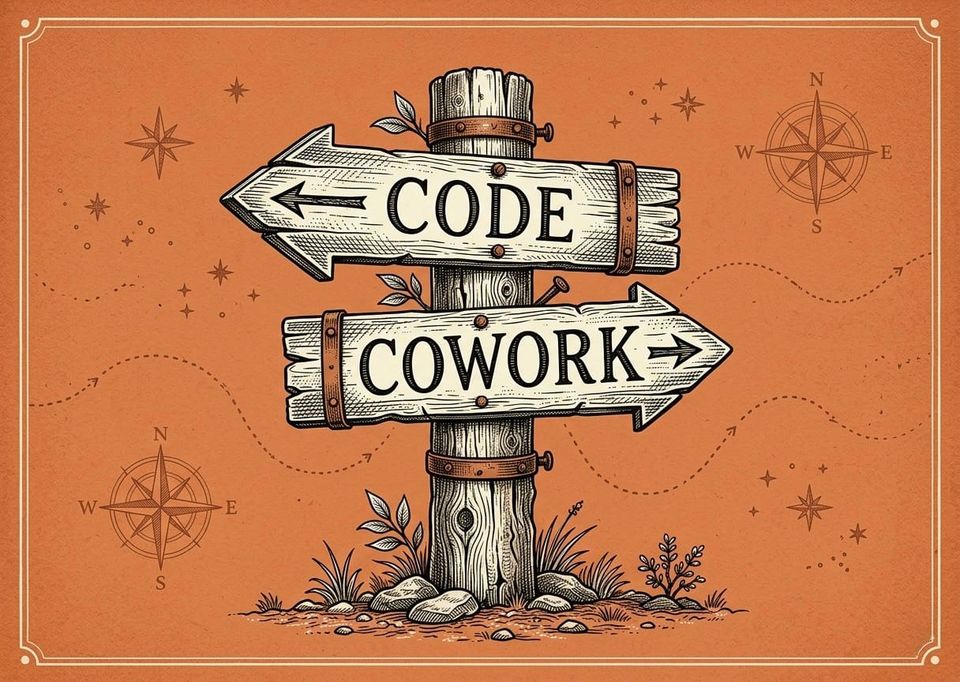
- Two tools.
- Same AI brain.
One of them will cost you more. Not just money. Worse output. Wasted time. And you won't even know it's happening.
Most people pick the wrong one.
Which one is right for you depends on how you work. By the end of this, you'll know exactly which one fits and which one to skip.
Is Claude Cowork Different From Claude
Every version of Claude uses the same brain. Same intelligence. Same capability. The difference is how you access it.
That sounds like a small thing.
It's not.
If you use Claude on the web, you're chatting. You type something, it responds, you type again. It works. But it's limited in ways most people never notice. Including one that quietly makes your output worse over time.
CoWork is different. Instead of going back and forth in a chat, CoWork actually does things for you. You describe what you want, point it at your files, and Claude builds it. It's not a conversation anymore. It's more like having a builder who creates whatever you describe.
But "does things for you" is vague. What does that actually look like?
What Does Claude Cowork Do
Picture this. You describe a tool you wish existed. And you watch it get built right in front of you. That's what CoWork and Claude Code do. You open it, point it at a folder, tell it what you want, and Claude builds it. Real software. Actually functional.
And it's not just software. Even if you just want to research something, CoWork and Claude Code are way ahead of the regular chat window. The chat window is a conversation. CoWork and Claude Code do the work. They read your files, build things, create projects, and take action.
I use it for content creation in ways I never expected.
Instead of paying for software, I create my own. Need a tool that does something specific? Describe it. Claude builds it. The work gets done faster, and you stop paying for apps that only do half of what you need.
I've been doing this since 2003.
One person.
No team.
No business plan.
For the majority of the time anyway, stupid simple systems that make money online. And what I can build now with these tools would have taken me weeks before. Or I'd have had to pay someone thousands of dollars to build it.
Claude Code does the same work but runs differently. Same brain. Same capabilities. But the way you interact with it changes everything. And that's where the real question starts.
Is Claude Cowork Good
Yes. Genuinely.
CoWork is the easiest way to get started with AI that actually works on your files. Install the app, click CoWork, pick a folder, go. Zero setup. Zero learning curve.
It's also safer. CoWork runs inside a protected bubble. A virtual machine that keeps Claude completely isolated from your actual system. It can't accidentally delete important files or mess anything up. Claude Code runs directly on your machine. More capability, but you need to be a little more careful.
If you've never used anything beyond regular Claude chat, CoWork removes every barrier. It's great. And it's getting better.
They just shipped something that makes CoWork even more interesting.
Claude CoWork Projects
Persistent workspaces. Their own memory. Instructions that carry between sessions. You can organize your work, save context, and pick up where you left off instead of starting over every time.
That's a real improvement.
If the story ended here, CoWork would be the clear winner.
But there's a problem hiding underneath all of this. One that affects every AI tool. And most people never see it coming.
Why Your AI Output Gets Worse The Longer You Work
You've probably noticed it. Claude was sharp at the start of your session. Clear answers. Good output. Then somewhere around the 30-minute mark, it starts giving you generic, sloppy responses.
You blame the tool.
The tool isn't the problem.
Every AI struggles with this. Claude, ChatGPT, Gemini. The output gets worse over time, and most people have no idea why.
The problem is something you can't see. And once you understand it, you'll never use AI the same way again.
What Is The Context Window
Every time you start a session with Claude, it begins with a clean slate. As you work, every message you send, every response Claude gives, every file it reads, all of that piles up in something called the context window.
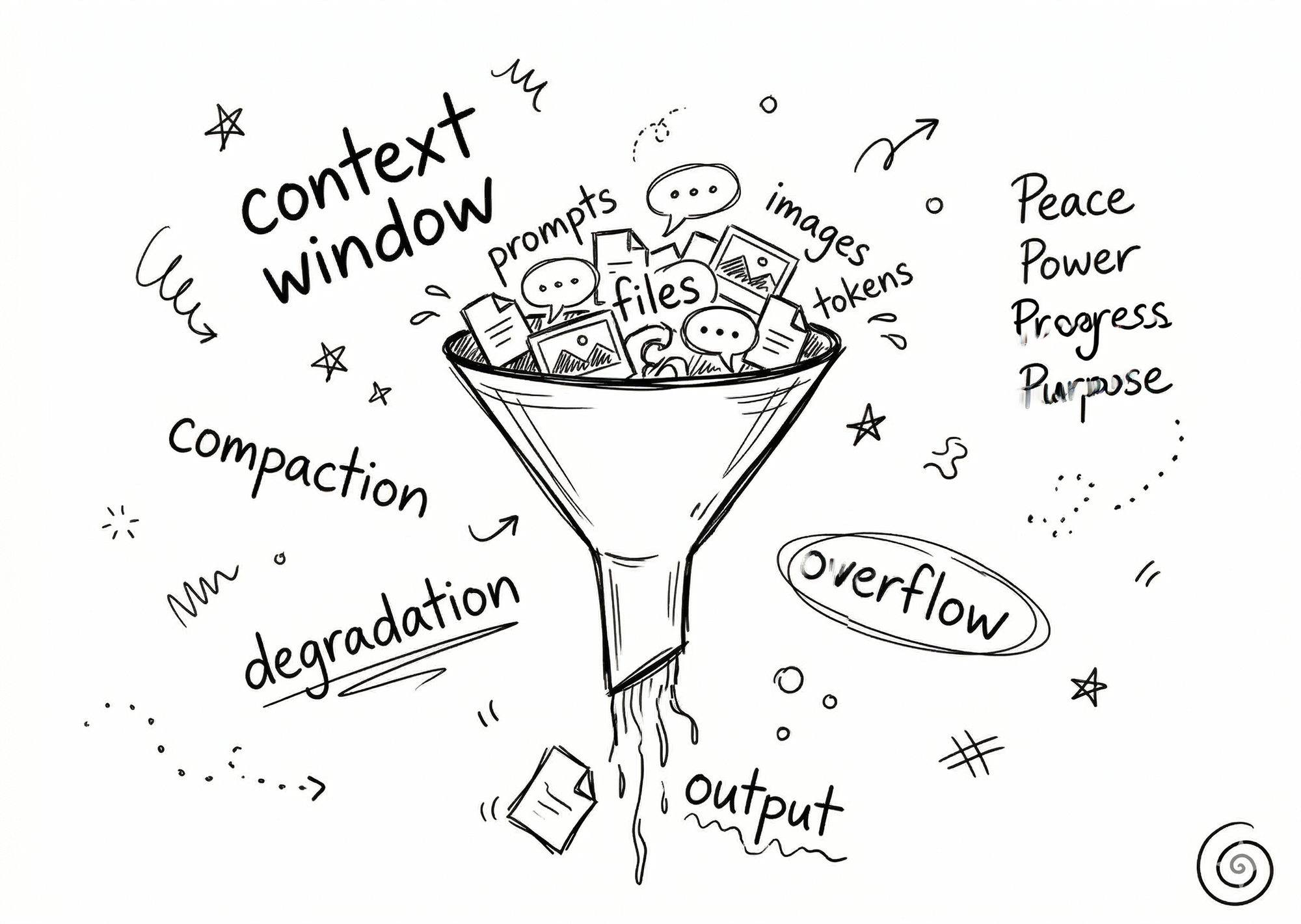
Think of it like a whiteboard.
At the start, it's empty. Claude can think clearly. But as the session goes on, that whiteboard fills up. Once it gets too full, Claude starts forgetting your earlier instructions, making things up, and giving you noticeably worse answers.
This isn't a bug. It's not Claude being lazy. It's how every AI works right now.
Claude recently jumped from 200,000 tokens to 1 million tokens as of March 13, 2026. Massive upgrade. Both CoWork and Claude Code give you access to that full window. That's a major advantage over the standard web chat.
But a bigger window doesn't solve the real problem. Every window fills up eventually. And what happens next is where most people lose without knowing it.
What Happens When The Context Window Fills Up
Claude gives you its best output once it has enough information about your task. The right files. The right context. Clear instructions. That's the peak.
Then the context window keeps filling up. Performance drops. Answers get worse. Claude misses things. And it only gets worse the closer you get to the limit.
When it finally gets too full, Claude tries to help by compacting the information. Squeezing everything down to make room. But when it compacts, you lose data. Context gets dropped. Instructions get forgotten.
The stretch right before compaction is the worst. You're sitting there wondering why Claude suddenly got dumb.
It's not Claude. It's the session.
Here's the part that should bother you. What if there's nothing you can do about it?
Why CoWork Can't Fix This
The trick isn't understanding the context window. It's managing it. And you can only manage what you can measure.
In CoWork, you can't do either.
There's no meter showing how full it is. No indicator. No way to compress it yourself or reset it. The very thing that controls whether Claude gives you good or bad answers is completely invisible to you.
Output silently degrades. You have no way to see it happening, let alone fix it.
CoWork can also stall mid-task with no explanation. Multiple users report complex work just stopping halfway through. No error message. No reason given. You're left guessing.
So if CoWork can't fix the biggest problem in AI right now, what can?
Is Claude Cowork Better Than Claude Code
Your prompt is the most important thing you control. The context window is the second most important. And this is where Claude Code pulls ahead.
Imagine being able to see exactly how full your context window is. Compress it to keep only the important stuff. Or wipe it completely clean for a fresh start. That's what Claude Code gives you. And there's a free tool that makes this even easier. Fully visual. No terminal required. More on that in a moment.
Smart users compress at 60%. Because by the time it auto-compresses at 80%, the output is already degraded. A lot of people take it further and never let the window fill up at all. They never compact. Performance stays high the entire session.
This is the single biggest difference between the two tools. CoWork hides the context window. Claude Code puts it in your hands.
But session management is only the beginning. There's something Claude Code lets you build that CoWork can't touch.
How Claude Code Makes Every Session Better
What if every session with Claude started better than the last one? Automatically. Not because you remembered to repeat your instructions. Because the system remembered for you.
Claude Code lets you create skills. Simple text files that tell Claude exactly how to approach specific types of work. You can have prompts written for you so every time you start a task, Claude already knows how you want to work, what your standards are, and what you've done before.
Instead of starting fresh every time, each session builds on the last.
Manage context windows. Create skills. Write prompts that write themselves.
Boring.
Heard that before.
I get it. But that IS the whole game. It used to be tedious because you had to do all of it manually. Write every instruction. Repeat yourself constantly. Hope the AI remembered.
But now, one simple file changes everything. And the setup is way easier than you'd think.
What Is CLAUDE.md
Your rules. Your preferences. How you want Claude to work. All in one simple text file.
Claude reads it automatically at the start of every session. Your instructions are always there.
No repeating yourself. No re-explaining your preferences. No hoping Claude remembers what you told it three sessions ago. You write it once and it sticks.
I'm a D student who struggled with spelling and grammar his whole life. Still do. And I built a system where Claude follows MY rules every single session without me having to type them again. If I can set this up, you definitely can.
That alone would be worth the switch. But there's another difference most people don't find out until they check their usage.
Why Claude Code Gets More Out Of Your Subscription
CoWork eats through your subscription faster than you'd expect. There's invisible work happening behind the scenes. A virtual machine. Screenshots. Image processing. You don't see any of it, but you're paying for all of it. One complex CoWork task can burn what dozens of normal Claude chats would.
Claude Code has none of that overhead. No virtual machine. No hidden image processing. More of your subscription goes toward actual results instead of background noise.
"Okay, but CoWork has that nice visual interface. Do I really have to stare at a terminal?"
Fair question.
The Interface Objection
The biggest draw for CoWork is the visual interface. And that's completely legitimate. No terminal. No scary black screen. Just point and click.
If that were the only way to get a visual experience with Claude, CoWork wins on that front.
It's not.
The Free Software That Changes Everything
Buttons. A sidebar. A file browser showing your entire folder structure. You never touch a terminal. You never see a command line. You see everything Claude is doing to your files in real time. What it's reading. What it's changing. What it's creating. Right there in front of you. Plus full context window management on top of everything.
The visual experience of CoWork with all the power of Claude Code.
Free.
VS Code with the Claude Code extension.
No-brainer. But the real advantage isn't the interface. It's what happens over weeks and months.
Everything Compounds Over Time
This is the part most people miss.
With Claude Code, your past work becomes an archive that makes future work better. Simple text files tell Claude how to approach specific types of work. Systems write prompts for you. Rules carry forward automatically.
I don't write most of my own prompts anymore. I create simple systems that write the prompts for me. Not what to do, but how to work. When Claude follows a system instead of guessing from scratch, the output quality jumps. And it keeps getting better every session.
Most people start a new AI session the same way every time. From scratch. Re-explaining. Re-instructing. Hoping it remembers.
That's the path most take. It won't get you the results you're after.
So with all of that, which one actually wins for coding?
Is Claude Cowork Good For Coding
I tried both.
I couldn't stay in CoWork.
No context window management. No visibility into what's happening under the hood. No way to build systems that compound over time. The limitations kept getting in the way.
Claude Code with VS Code gives me everything CoWork promises and more. The output is better. The sessions last longer. The work builds on itself.
And I'm not a coder. I've been running a one-man operation online for over two decades, and I've published hundreds of videos with nothing more than my iPhone, iPad, and a few three-dollar apps. The point is, you don't have to be technical. If I can make this work, you can make this work.
Here's the bottom line.
Which One Should You Pick
If you've never used AI on your actual files before, start with CoWork. Zero friction. Zero setup. The protected bubble means you can't break anything. It's the safest way to see what's possible.
But if you want better output, more control over your sessions, and a system that genuinely improves over time, Claude Code with VS Code is the move.
The switch is smaller than you think. Your setup carries over. You're already most of the way there.
I believe you can build something great with these tools. Do you?
If you dig this, subscribe. More coming.

Content strategist, author of Trust Funnel and Tube Ritual, and YouTube Silver Play Button recipient with over 25 years of experience helping creators build audiences online. He writes at FutureCreators.tv.



Member discussion