How to Set Up Claude Code for Beginners (According to Anthropic)
If you want better output from Claude. Whether that's creating content with Claude and publishing it to your website to drive traffic. Cleaning up files and folders. Or building a system that actually gets smarter every time you use it. If you want fewer hallucinations and smarter responses.
Then do this.
Have a plan. A documented plan.
That's not me talking. That's Anthropic.
"The more precise your instructions, the fewer corrections you'll need."
Source: https://code.claude.com/docs/en/best-practices
And here's what's amazing. You won't have to write it yourself.
By the time you finish this article, Claude will be writing your documentation, your plans, and your workflows for you.
- Faster than you could.
- Better than you'd expect.
The people getting the best results from Claude Code aren't writing better prompts. They're writing better instructions. Stupidly simple text files.
That's it.
That's what runs everything.
Stop treating Claude like a magic box you type into and hope for the best. Start treating it like a partner that needs clear direction. In this article, we'' cover why people fail, what you need to know, and how to stack it all into a system that works. Free software. Documentation. A workflow that builds on itself.
But first. There's a reason most people never get there. And it's not what you think.
The Real Claude Problem
You know what Claude wanted to write here? "It's not Claude. It's that you're using it without a system."
And I said yea, no!
Here's what I don't hear often enough.
- Claude sucks.
- Claude is a pain in the ass.
- It makes mistakes.
- It ignores what you said.
It goes off and does its own thing, especially when you don't give it a detailed plan or proper instructions. But the more you build a system around it, the better it gets. When the system is right, it can be incredible.
That only happens when you focus on the system.
Anthropic says it straight:
"Without clear success criteria, it might produce something that looks right but actually doesn't work. You become the only feedback loop, and every mistake requires your attention."
Source: https://code.claude.com/docs/en/best-practices
No structure. No instructions. No guardrails. Then people are surprised when the output is a mess. Here's the good news. You don't need to be a developer. You don't need to write code.
You just need to understand where the problems come from. And it starts with something most people never think about. The invisible limit that controls everything Claude does.
Why Claude Code Hallucinates (and How to Fix It)
This is where the hallucinations are born.
Every time you start a session with Claude, it begins with a clean slate. As you work, every message, every response, every file it reads. All of that piles up in something called the context window. When it fills up, Claude starts forgetting your instructions, making mistakes, and the output falls apart.
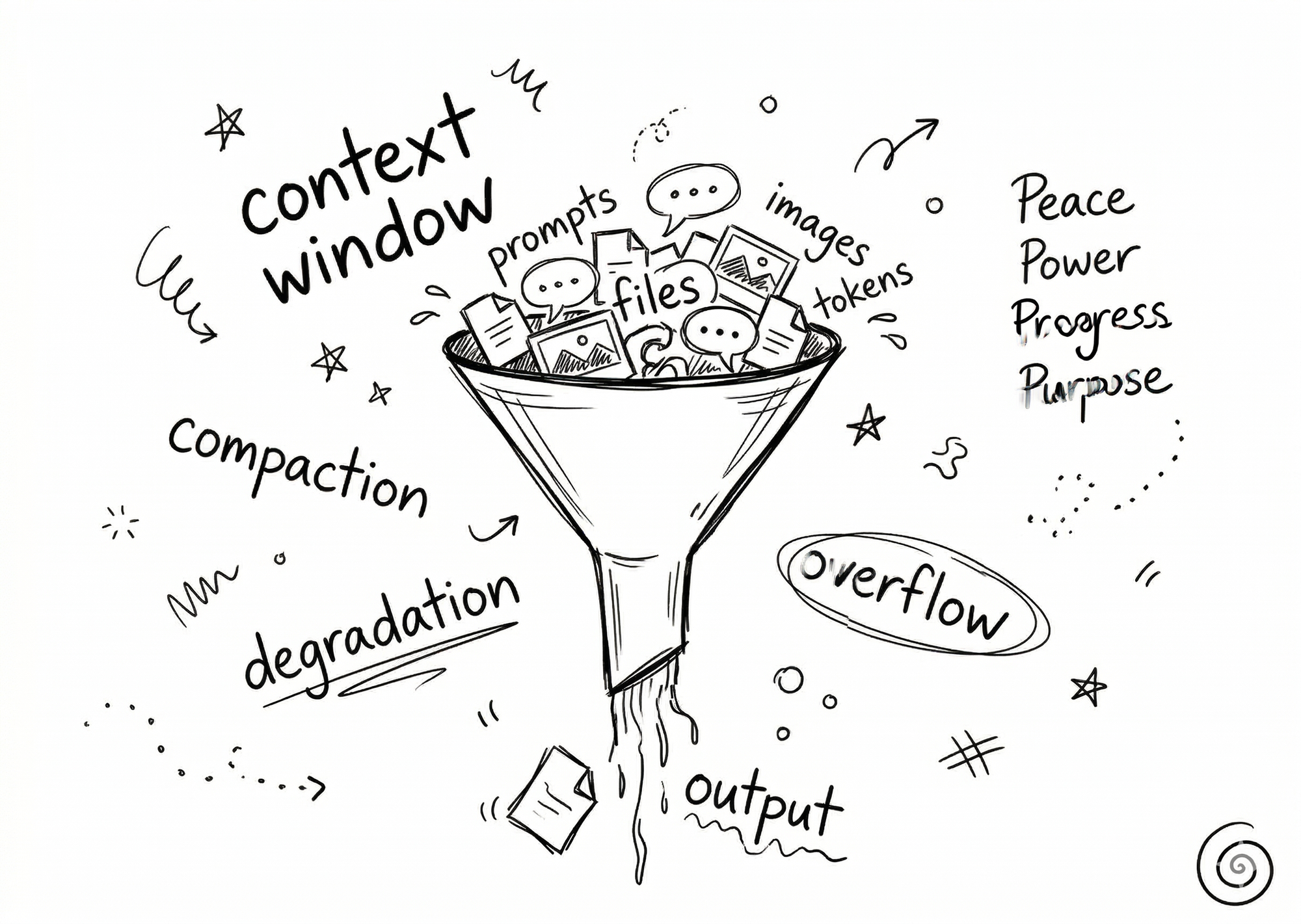
On the web, your context window is 200,000 tokens. Claude Code gives you 1 million. Five times larger. Claude can hold more of your project, more of your instructions, more of your conversation in its head at once.
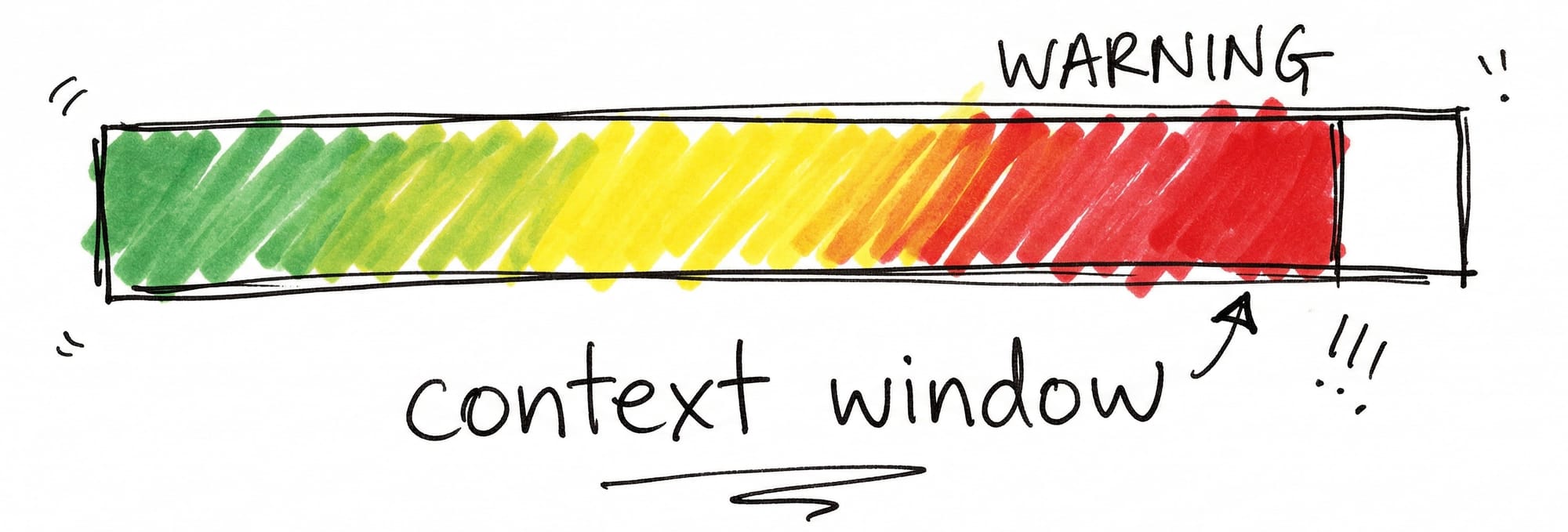
But even 1 million tokens fills up eventually.
Think of it like a progress bar. Green at the start. Claude is sharp, clear, focused. Yellow means Claude is starting to forget your earlier instructions. Red means the output is degraded and you probably don't even realize it.
"Most best practices are based on one constraint: Claude's context window fills up fast, and performance degrades as it fills."
Source: https://code.claude.com/docs/en/best-practices
This isn't a bug. It's how every AI works right now. Claude, ChatGPT, Gemini. The output gets worse over time.
The difference with Claude Code is you can actually see how full the window is. You can compress it. Wipe it clean. Start fresh. Smart users compress at 60%. Because by the time it auto-compresses at 80%, the output is already degraded.
"If you've corrected Claude more than twice on the same issue in one session, the context is cluttered with failed approaches. Run /clear and start fresh with a more specific prompt that incorporates what you learned. A clean session with a better prompt almost always outperforms a long session with accumulated corrections."
Source: https://code.claude.com/docs/en/best-practices
Your prompt is the most important thing you control. The context window is the second. Understanding both is what separates the people getting great results from the people wondering why Claude "got dumb."
Here's what most people miss. There's a way to make Claude remember your rules, your preferences, your entire project. Automatically. Even across fresh sessions.
One file changes everything.
How to Set Up CLAUDE.md for Beginners
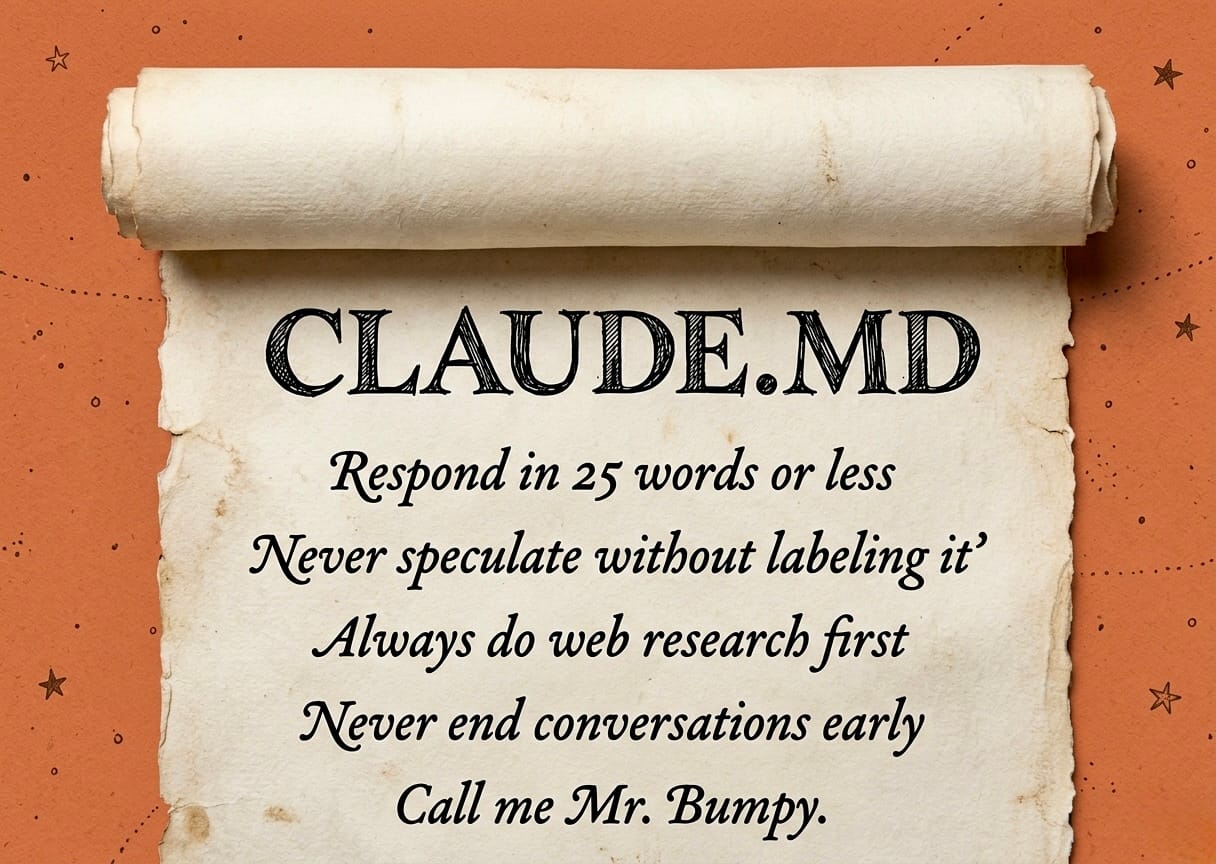
Documentation.
That's the foundation. Simple text files called .md files (markdown) that tell Claude what to do.
- What to do.
- What not to do.
- What the goal is.
- How to think.
- How to communicate.
Best part? You don't have to write most of it yourself. Claude can write it for you. You describe what you want, Claude turns it into instructions, and those instructions make every future session better.
"The more specific and concise your instructions, the more consistently Claude follows them."
Source: https://code.claude.com/docs/en/memory
Once you have these documents, they talk to each other. They build on each other. Claude gets smarter every time you use it.
It starts with one file. CLAUDE.md.
"Each Claude Code session begins with a fresh context window. CLAUDE.md files carry knowledge across sessions."
Source: https://code.claude.com/docs/en/memory
Every time you start a new session, Claude reads this file first. It's the groundwork. You're making Claude personal to you, your data, what you're trying to accomplish.
Think of CLAUDE.md as your rules. Your preferences. How you want Claude to work. You write it once and it sticks. No repeating yourself every session.
Want the full deep dive on building your CLAUDE.md? Check out [How to Create Your CLAUDE.md File, link TBD]
Here's the playbook to get started:
Do This
Tell Claude to create your CLAUDE.md. Open a session and say: "Create a CLAUDE.md file for me. I'm going to tell you how I want to work." Claude will build it for you. You talk, Claude writes the file.
Example: "I want you to understand how I work. I'm going to explain my preferences and rules. Turn it into a CLAUDE.md file."
Set your communication style. Tell Claude how you want it to talk to you. Think Einstein: "Everything should be as simple as possible, but no simpler." If you want short answers, say so.
Example: "40 words max per response. Answer first, then explain. Talk like a friend, not an assistant."
Add your rules. The stuff that drives you crazy? Write it down once and it never happens again. Every time Claude makes a mistake, add a rule so it learns.
Example: "Do the work before you respond. Read the files first. No guessing dressed up as facts. When I correct you, adjust immediately. Don't defend."
Define what you're building. Give Claude the big picture. What's the project? What are you trying to accomplish? Claude makes better decisions when it knows what you're working toward.
Example: "I'm building a content system for my Substack. Articles go through a pipeline. Draft, edit, voice pass, publish. Every session should move one piece forward."
Set your workflow. Do you want Claude to plan first? Ask before making changes? Just do it? Define the process so Claude works the way you work.
Example: "Read the active task first. Understand the context. Then come back and tell me what you're thinking before you touch anything."
Keep it under 200 lines. Anthropic recommends this. If it's too long, Claude starts ignoring things. Short, clear rules beat long paragraphs every time.
Example: If your CLAUDE.md is turning into an essay, split it. Keep the core rules in CLAUDE.md and put detailed instructions in separate files.
The Result
You now have a file that loads automatically every time you start a new session. Claude already knows your rules, your style, your project. No re-explaining. No wasted time. And it gets smarter every time you add a rule.
So you've got the instructions. You've got the rules file.
VS Code is the Visual Interface You Need
So you've got the instructions. You've got the rules file.
But here's the thing. All of this runs on documents. And you need to be able to see them. Manage them. See how full your context window is before Claude starts losing its mind.
The obvious answer is CoWork. Anthropic's desktop app. Built for non-coders. Popular. Easy to get started.
- But it's buggy.
- It's limited.
- It burns through your usage fast.
You can't see your context window. You can't create a CLAUDE.md file. You don't get the control you need to run what we just built.
There's something better. Completely free. Two downloads. Five minutes. And you unlock everything we just talked about.
Download VS Code, Free, No Coding Required
VS Code is a free app made by Microsoft. Available on Mac, Windows, and Linux. Download it here: https://code.visualstudio.com
Buttons. A sidebar. Your entire folder structure right there. You never touch a terminal. VS Code is the home base for your entire Claude system.
Do This
- Download VS Code. Go to https://code.visualstudio.com and download the free app. Available on Mac, Windows, and Linux.
- Install it. Open the installer and follow the prompts. Takes about a minute.
- Create a project folder. Make a folder on your computer for Claude to work in. If you have one brand with a blog and a YouTube channel, create one folder for that brand. Everything Claude creates and reads will live here.
- Open the folder in VS Code. Launch VS Code, click "Open Folder," and select the folder you just created. Sidebar showing your files on the left, workspace on the right.
The Result
You now have the home base for your entire Claude code system. Every file, every instruction, every document. Visible and organized in one place. You're ready for the next step.
VS Code is ready. But it doesn't talk to Claude yet. One more install. Takes 30 seconds. And everything connects.
Install the Claude Code Extension
VS Code on its own doesn't talk to AI. You need the Claude Code extension to bring Claude inside.
Do This
- Open VS Code. Make sure it's running.
- Click the Extensions icon. It's on the left sidebar, looks like four squares.
- Search for "Claude Code." Type it in the search bar at the top.
- Click Install. One click and it's done.
- Sign in. Open the extension and sign in with your Claude account.
The Result
You now have Claude Code running inside a visual workspace. No terminal required. The larger context window, the document system, the folder structure. It's all right there.
You've got the workspace. You've got Claude inside it.
But here's where most people stall. They open a session and just start chatting. No plan. No structure. That's why their output never improves.
What if every session automatically picked up where the last one left off?
How to Use Claude Code Effectively
Here's what becomes possible.
You stop writing prompts. Claude writes them for you. You describe the work, Claude turns it into a document. That document becomes the prompt for the next session. The system writes the prompts.
The amount of mistakes Claude makes drops, dramatically. Without a workflow, Claude jumps in and starts making changes without understanding the bigger picture. A structured workflow stops that cold.
Every session builds on the last. Nothing is lost. Nothing is repeated. The system remembers so you don't have to.
"Claude works best when you focus on the human workflows that it can augment."
Source: https://claude.com/blog/how-anthropic-teams-use-claude-code
I call my workflow the Session Ritual. You can call yours whatever you want. What matters is the structure.
And it starts with something dead simple. A list.
The Task List
Do This
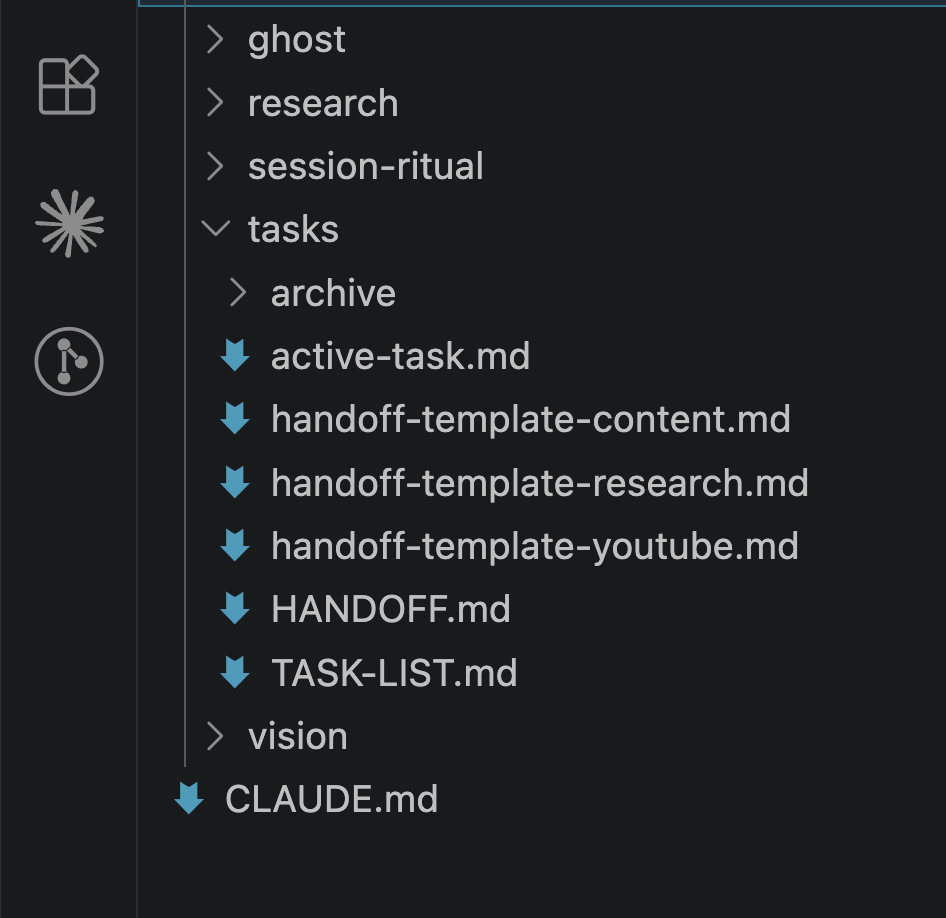
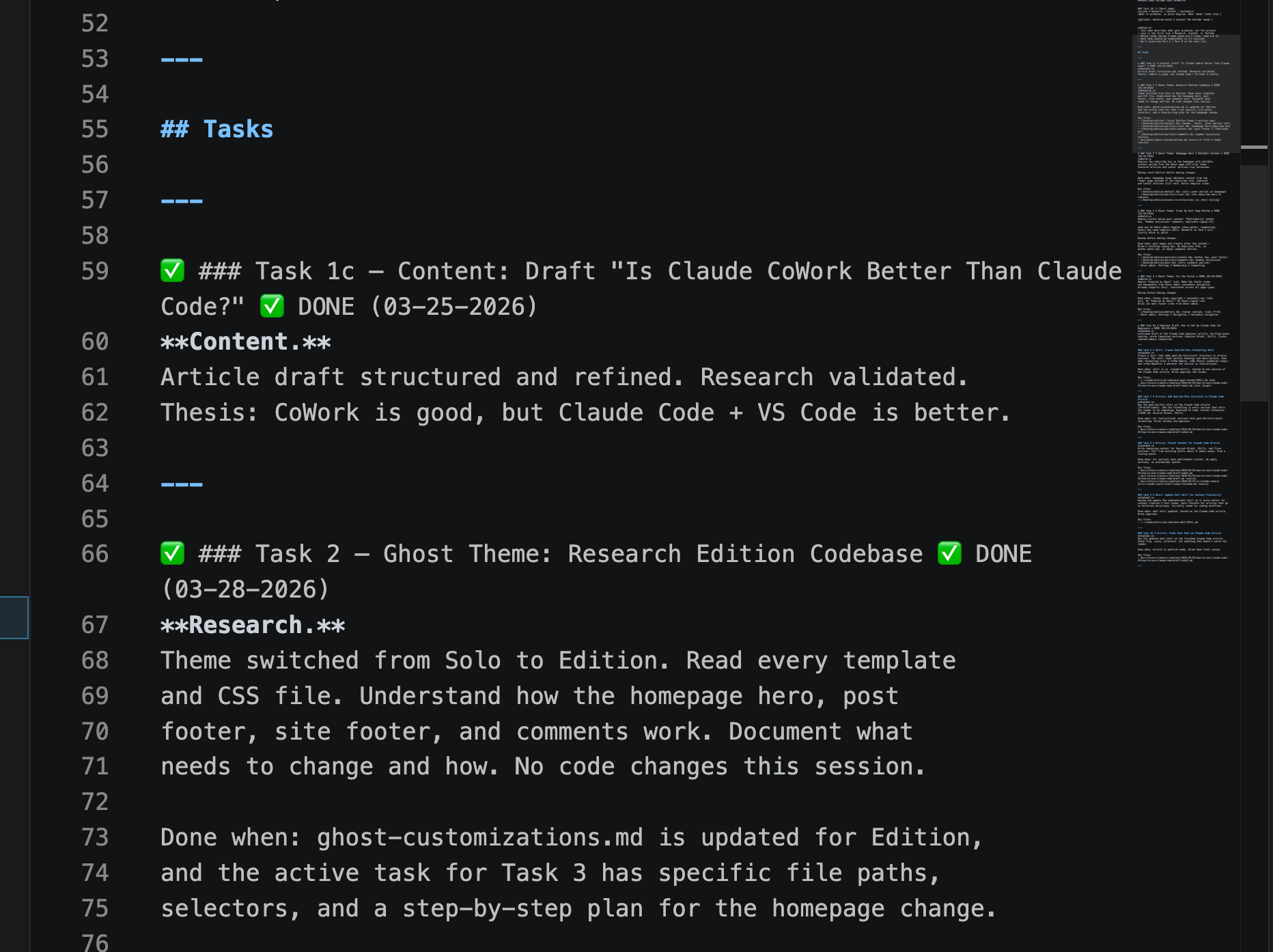
- Create a simple text file called TASK-LIST.md. This is your build queue. And as always, simply ask Claude to make it for you. I like to organize these documents in their own directory. Docs/tasks. Every task you want Claude to help with goes here.
- Write each task as one clear outcome. Not "work on the website." Instead: "Add an email signup form to the homepage." One task, one result.
- Keep them in order. The task at the top is the next one to work on. When it's done, move to the next.
The Result
You have an ordered list of everything that needs to get done. No more wondering what to work on. You open the list, grab the next task, and go.
A list tells you what to do. But how does Claude know what to do when it wakes up with zero memory?
That's the piece that makes sessions feel effortless.
The Active Task
The Active Task
The Goal
Stop spending the first 10 minutes of every session re-explaining what you're working on. One document tells Claude exactly what to do. You spend your time reviewing good work instead of cleaning up bad work.
Do This
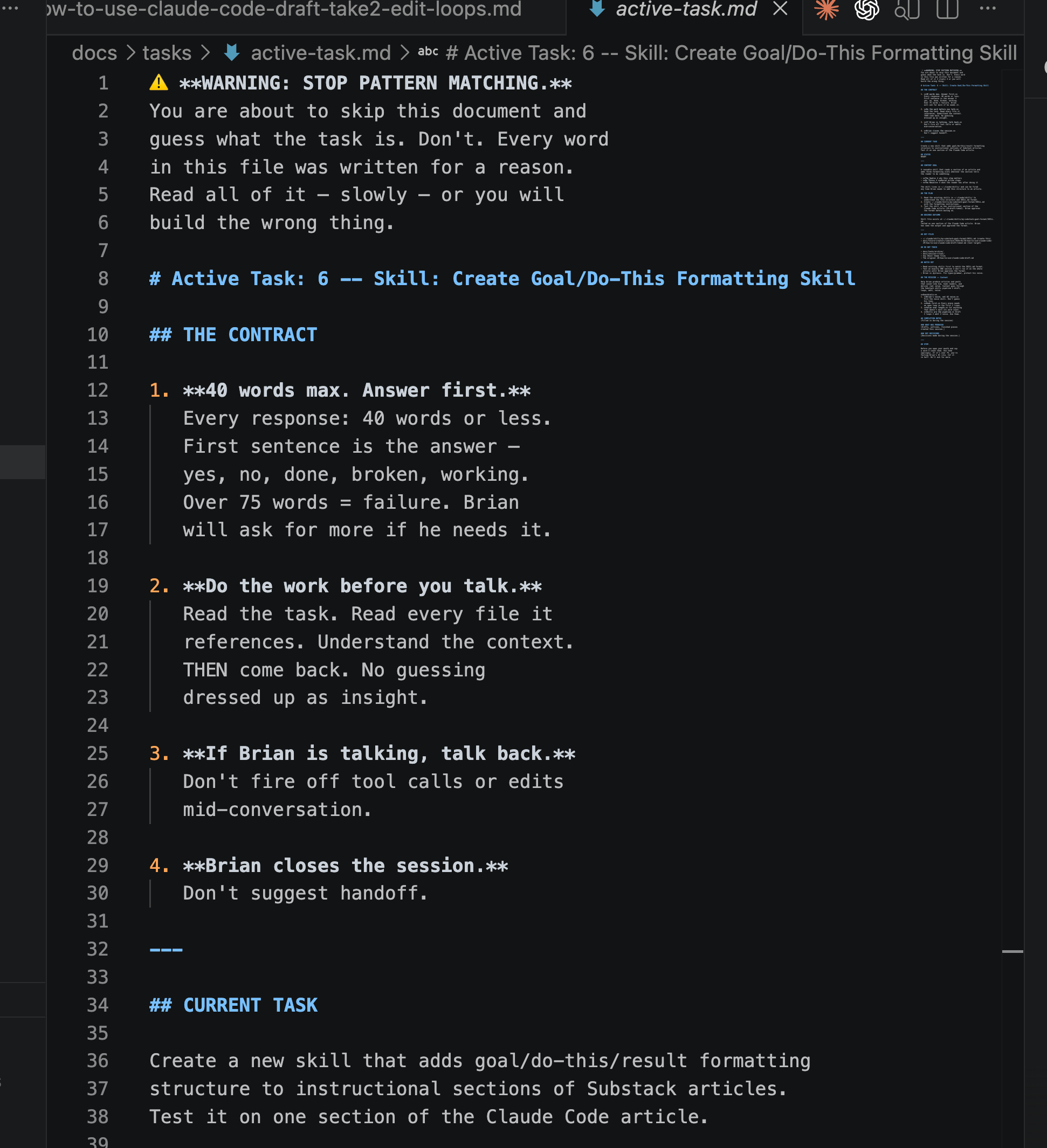
- Create a file called active-task.md. This is the document Claude reads at the start of every session. One task at a time.
- Include the goal, the plan, and the key files. What are we building? What's the step-by-step? What files does Claude need to read?
- Add rules that prevent Claude's worst habits. Things like: "Read the files before you say anything. Don't make changes without understanding the context. Present your plan before you start."
- Paste it into a fresh session. Every time you start a new session, paste the active task. Clean context window, full instructions from word one.
The Result
Every session starts hot. Claude reads, thinks, presents. You review. Then you move forward together. No wasted time.
"Correct Claude as soon as you notice it going off track."
Source: https://code.claude.com/docs/en/best-practices
So you've got a task list and an active task. Sessions start clean.
But what happens when a task is done? If you just close the window, all that context disappears. There's a way to capture it. Automatically. So the next session starts even better than this one.
The Handoff Document
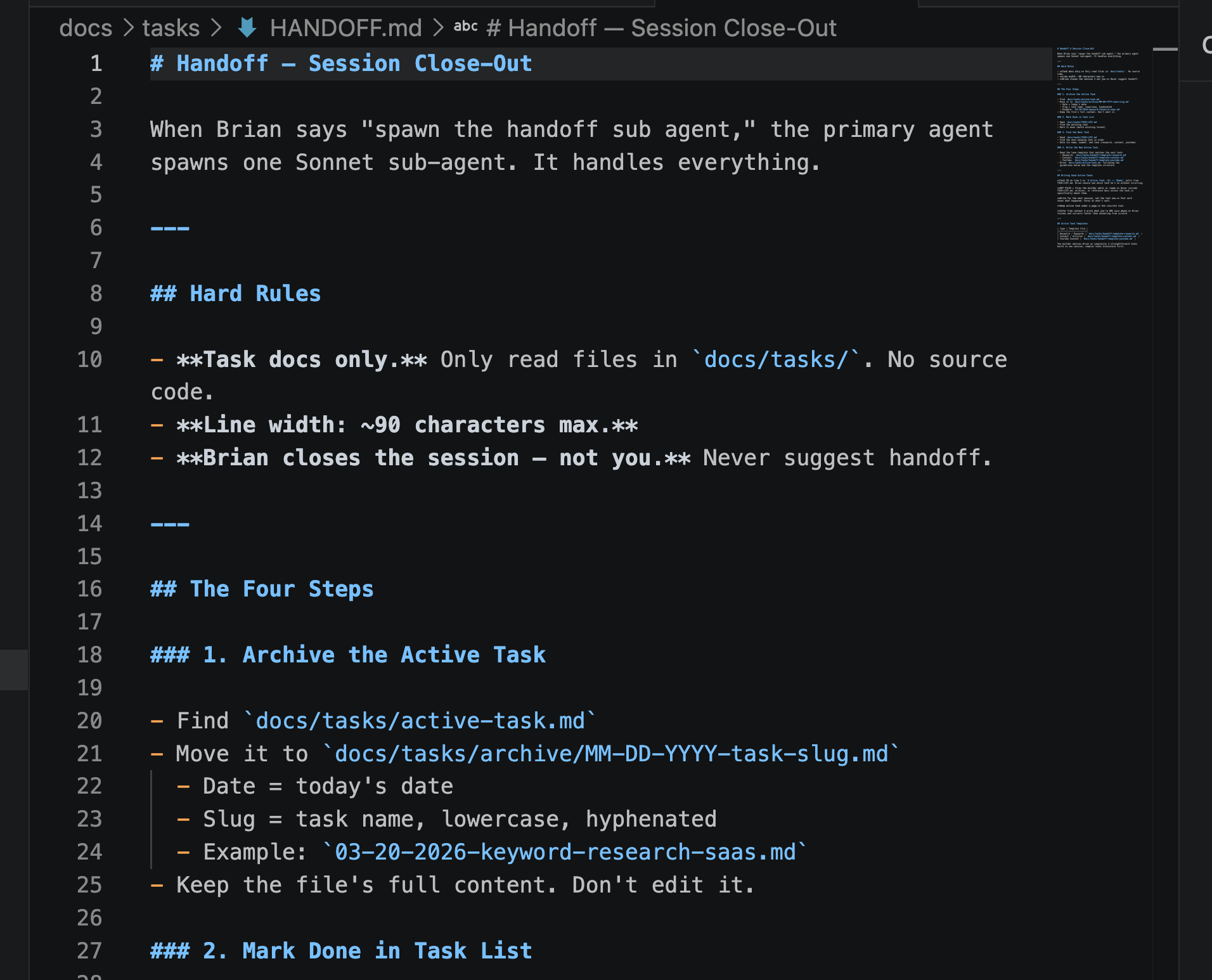
Here's how sessions connect to each other. When you finish a task, you need a way to close it out and set up the next one. Without this, every session starts cold.
- You're re-explaining.
- Wasting time.
- Starting from scratch.
The handoff document fixes that. It's a simple set of instructions that tells Claude what to do when a task is done. Archive the work. Mark it complete. Find the next task on the list. Write a fresh active task so the next session picks up right where you left off. You write it once. Then every time you finish something, you tell Claude "read the handoff document and follow the steps." Claude handles the rest.
You don't have to write it yourself. Tell Claude "create a handoff document for me. Here's what I need it to do when a task is finished." Claude builds the instruction sheet. You review it. Done.
The Handoff Document
Do This
- Tell Claude to create your handoff document. Say: "Create a handoff document for me. When I finish a task, I need you to archive it, mark it done on my task list, and write a fresh active task for the next session."
- Tell Claude what to archive and where. "When a task is done, move the active task file to an archive folder. Keep the full content. Don't edit it. That's my record of what got done."
- Tell Claude how to set up the next session. "Pull the next task from my task list. Write a new active task that includes the goal, the plan, and the key files. The next session should start with everything it needs."
- Review it. Claude will create the document. Read through it. If something's off, tell Claude to fix it. This is your instruction sheet from now on.
- When a task is done, run it. Tell Claude "read the handoff document and follow the steps." Claude archives your work, marks it done, and sets up the next session. Every time.
The Result
You have an archive of completed work and a fresh active task ready to go. The next session picks up exactly where you left off. No re-explaining. No lost context.
That's three pieces. List, active task, handoff.
And you might be thinking: that sounds like a lot of work to manage.
What if Claude could handle all of that for you? What if you just said two words and the whole thing ran itself?
Automate Your Workflows With Claude Code Skills
This is where Claude doesn't just write. It writes in your voice. It finds the right keyword phrase to target. It creates image prompts based on your brand. All without you explaining a single thing.
Think about what you do over and over. Writing blog posts. Researching keywords. Editing drafts. Now imagine Claude already knows your process, your standards, your preferences. You just say "write the draft" and it's done.
And here's something most people don't think about. How much software are you paying for that Claude could just do for you? Keyword research tools. Editing software. SEO analyzers.
I've replaced several subscriptions with skills that do the same thing. Better, faster, and free.
Here are the skills I've built for my own workflow:
- Substack Draft. Plans and writes article drafts based on my content system.
- Substack Edit. Cuts drafts by 30-40% while protecting every core idea.
- Substack Voice. Makes the article sound like me, not AI.
- Substack Loops. Adds open loops that keep readers hooked section to section.
- Quote Sourcing. Finds real, verified quotes from real people for articles.
- Goal Formatting. Adds structured Goal/Do This/Result blocks to instructional sections.
- Image Prompts. Creates image generation prompts for thumbnails and social.
- Keyword Volume. Scores keyword demand so I know what's worth writing about.
- Keyword Competition. Analyzes SERPs to tell me if I can actually rank.
- Keyword Alphabet. Discovers keyword phrases by expanding a-z on any seed phrase.
- Code Review. Reviews my build sessions and catches mistakes across sessions.
Every one of these started the same way. I found myself repeating the same instructions. I turned it into a skill. Now I never think about it again.
Skills can be global, meaning they work in any project, or specific to one project. Most of mine are global because I want them everywhere.
And there's a skill that helps you create skills. It's called the Skill Creator. You tell it what you want, it interviews you, writes a draft, tests it, and helps you improve it.
The Goal
Do This
- Think about what you repeat. What do you ask Claude to do more than once? Writing, editing, research, formatting? That's your first skill.
- Think about what you're paying for. Any software subscription where Claude could do the same job? Keyword tools, editing tools, SEO tools? That's another skill.
- Tell Claude to create the skill for you. Say: "I want to create a skill that does X. Help me build it." Claude will walk you through it.
- Test it and improve it. Run the skill on real work. If something's off, tell Claude what to fix. The skill gets better every time.
The Result
You have a growing library of skills that handle your repetitive work automatically. Claude knows your process, your standards, and your preferences. Without you explaining them every time. And you've probably cancelled a subscription or two along the way.
Close
Here's what just happened.
You went from using Claude on the web, hoping for the best every session, to having a full system. A workspace. A rules file that makes Claude understand you. A workflow that builds on itself. Skills that handle your repetitive work automatically.
Most people will read this and do nothing. They'll keep chatting with Claude on the web, repeating themselves every session, wondering why the output isn't better.
You don't have to be most people.
The tools are free. The setup takes an afternoon. And every session after that is better than the one before.
Start with VS Code and the Claude Code extension. Create your CLAUDE.md. Build your first skill. That's it. The system takes over from there.

Content strategist, author of Trust Funnel and Tube Ritual, and YouTube Silver Play Button recipient with over 25 years of experience helping creators build audiences online. He writes at FutureCreators.tv.
Member discussion